How to enable the root user / reset password in mac
- From the Apple menu choose System Preferences.
- From the View menu choose Users & Groups.
- Click the lock and authenticate as an administrator account.
- Click Login Options.
- Click the “Edit” or “Join” button at the bottom right.
- Click the “Open Directory Utility” button.
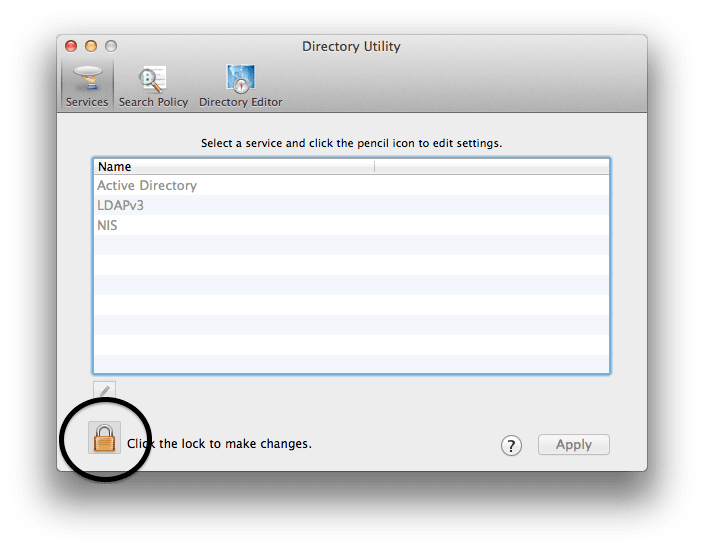
- Click the lock in the Directory Utility window.
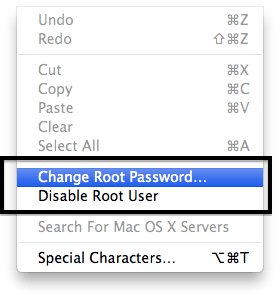
 Go to the menu Edit → Change root password… :
  It should prompt you to enter a new root password: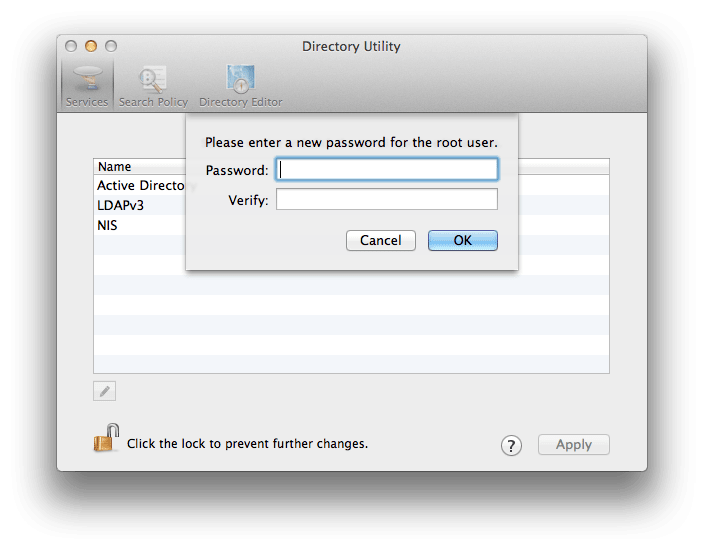
- Again, you have to have access to an administrator account to do this (so you can authenticate).
- Enter an administrator account name and password, then click OK.
- Choose Enable Root User from the Edit menu.
- Enter the root password you wish to use in both the Password and Verify fields, then click OK.


