Mac logs everything you download
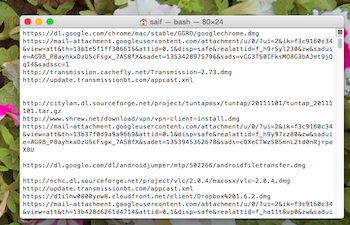 Mac OS X logs everything you have ever downloaded. You can check your self. Just open command prompt and enter following line:
sqlite3 ~/Library/Preferences/com.apple.LaunchServices.QuarantineEventsV* 'select LSQuarantineDataURLString from LSQuarantineEvent'
You will get list of file you have every downloaded.
You can delete this log easily by running following command:
sqlite3 ~/Library/Preferences/com.apple.LaunchServices.QuarantineEventsV* 'delete from LSQuarantineEvent'
Try this out if you are using a Mac.


